Setting Up Medication Reminders and Alarms That Work: A Practical Guide for Better Adherence
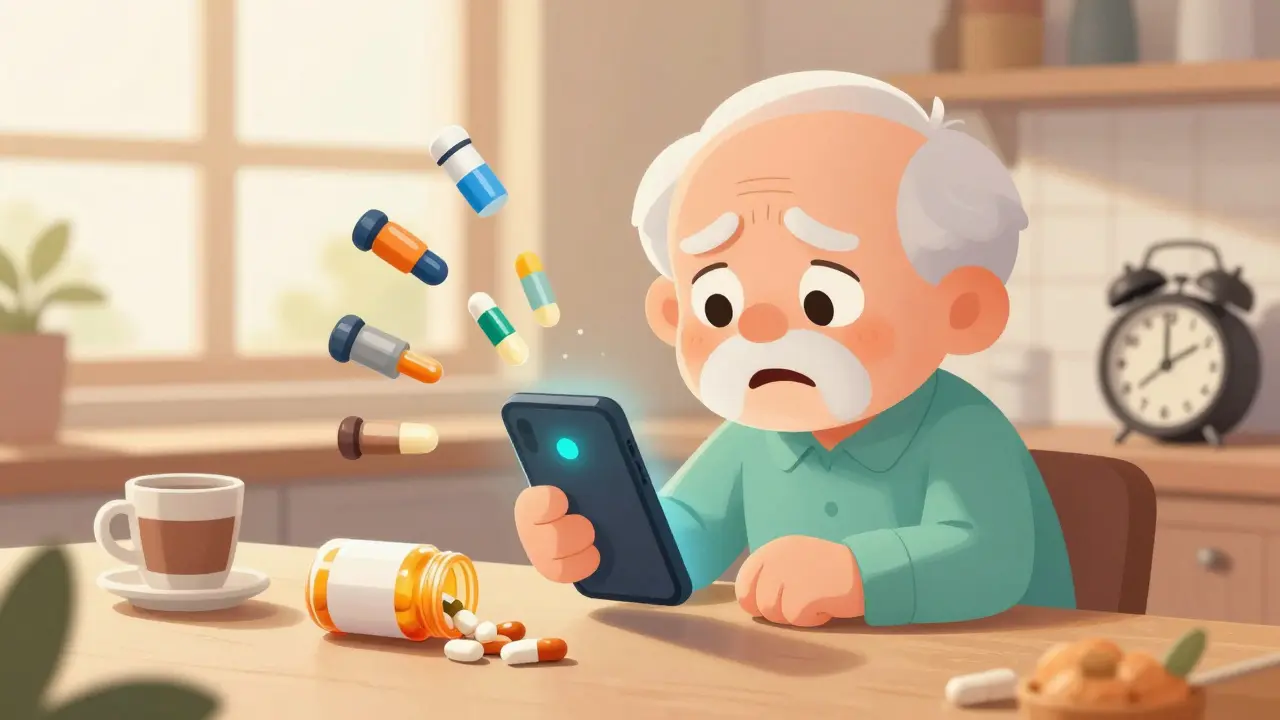
Half of all people taking chronic medications don’t take them as prescribed. It’s not laziness. It’s not forgetfulness alone. It’s often a system that doesn’t work - alarms that get ignored, apps that crash, reminders that come at the wrong time, or too many alerts that blur together. If you’re managing multiple pills, or helping someone who is, you need reminders that actually stick. Not just any alarm. Not just another app. You need ones that adapt to your life, not the other way around.
Why Most Medication Reminders Fail
Most people set up a reminder on their phone and call it done. They pick a time, hit save, and assume it’ll work. But here’s what usually goes wrong:
- The alarm goes off while you’re in a meeting - you silence it and forget.
- The app asks you to confirm you took the pill, but you’re in a rush - you tap "yes" just to make it stop.
- You change your routine, but the reminder stays stuck at 8 a.m., even though you now take your meds after breakfast.
- You get five alarms for five different pills, all at once. Your phone buzzes like a bee swarm. You turn it off for good.
Studies show that single-channel reminders - just a phone alert - lead to only a 10-15% improvement in adherence. But when you combine push notifications with SMS and a visual check-in, adherence jumps by 87%. That’s the difference between barely improving and actually sticking to your plan.
Choose the Right Tool - Not Just the Coolest App
You don’t need the most downloaded app. You need the one that fits your life.
Medisafe is the most popular for a reason. It uses AI to learn your habits - if you consistently skip your evening pill, it nudges you earlier. It tracks your dose history and even alerts caregivers if you miss three doses in a row. The free version works fine for basic use. The $29.99/year upgrade adds pharmacy refill alerts and detailed reports you can share with your doctor.
Mango Health is free and connects directly to 65,000 U.S. pharmacies. If you want your refills auto-requested when you’re running low, this is the one. But it doesn’t let family members monitor your progress unless you pay for premium.
MedAdvisor is huge in Australia and New Zealand. If you’re in the U.S., it’s less common, but if your pharmacy uses it, it’s seamless. It pulls your prescriptions automatically, so you don’t have to type them in. No more guessing if it’s 5 mg or 10 mg.
CareZone is great if you’re managing meds for an aging parent or child. You can set up multiple profiles, share schedules with siblings or nurses, and even log symptoms. But its drug database is less accurate - 92% correct versus the industry standard of 97%. That means you’ll need to double-check dosages yourself.
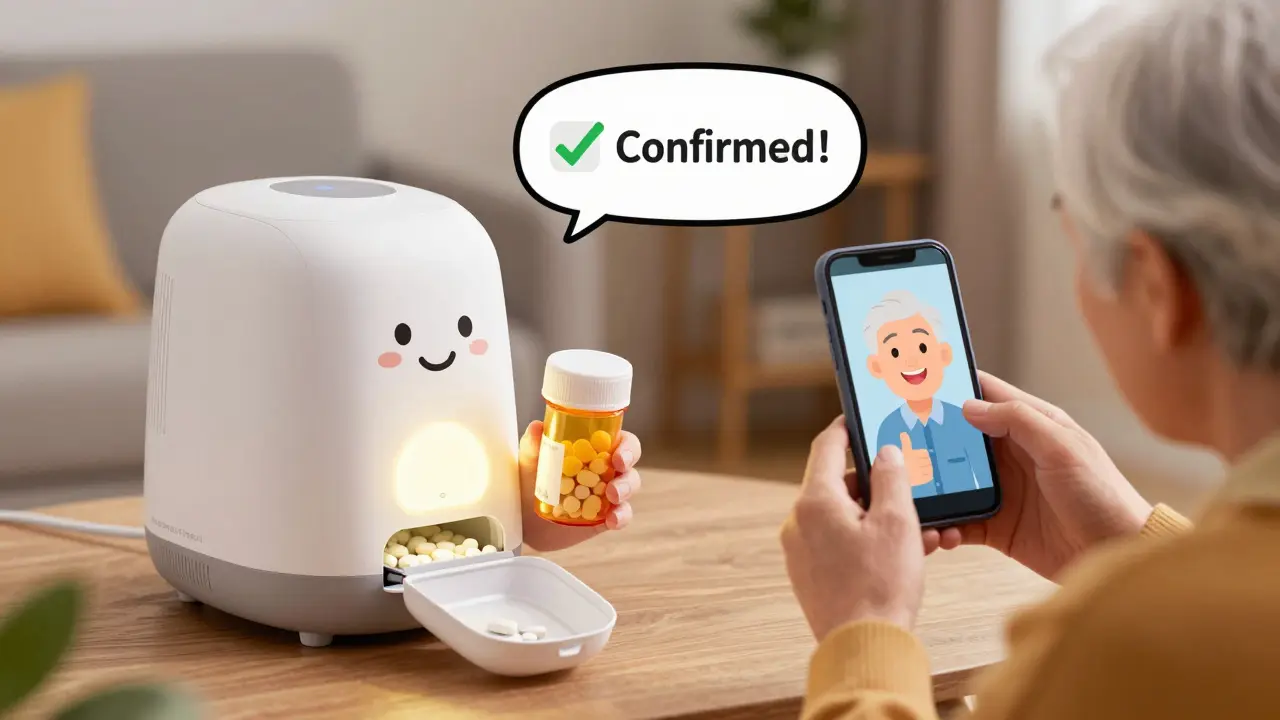
And if you hate phones? Consider a physical device like Hero Health. It’s a smart pill dispenser that opens compartments at the right time, lights up, and even talks to you. It costs $199/month, but for someone who forgets everything, it’s worth it. Studies show users of these devices hit 82% adherence - higher than most apps.
Set Up Alarms That Actually Get Heard
Don’t just pick a time. Think about your day.
Let’s say you take:
- Metformin - with breakfast
- Atorvastatin - at bedtime
- Levothyroxine - on an empty stomach, 30 minutes before food
Setting all three at 8 a.m. won’t work. You need staggered times:
- 7:00 a.m. - Levothyroxine (silent vibration first, then audio if no response in 10 minutes)
- 7:30 a.m. - Metformin (push notification + SMS)
- 10:00 p.m. - Atorvastatin (phone rings, then sends SMS to caregiver if missed after 47 minutes)
Why 47 minutes? That’s what Mayo Clinic found in a 1,245-patient trial. If you miss a dose, give yourself a buffer. Don’t panic. But don’t let it slide forever. The system should escalate - vibration, then sound, then a text to your spouse or nurse.
Turn off sound alerts during meetings or sleep. Use location-based triggers. If you’re at home, the alarm plays. If you’re at work, it only vibrates. Apps like Medisafe and MedAdvisor can sync with your calendar to detect when you’re in a meeting. That’s not magic - it’s smart design.
Confirm You Took It - Don’t Just Guess
Most apps ask: "Did you take your pill?" You say yes. But you didn’t. You just wanted the alert to stop.
Stanford Medicine tested a solution: use your phone’s camera. When the alarm goes off, the app shows a picture of your pill. You have to take a photo of the empty pill bottle or the pill in your hand. That simple step cuts false confirmations by 89%.
It sounds annoying? Maybe. But think about this: if you’re on blood thinners or insulin, a wrong dose can send you to the hospital. A 10-second photo is worth it.
If you can’t use the camera, try barcode scanning. Many apps let you scan the pill bottle’s barcode. It auto-fills the name, dose, and frequency. No typing. No mistakes. It reduces input errors by 83%.
Link It to Your Pharmacy - Stop Running Out
One of the biggest reasons people miss doses? They run out.
Set up refill alerts. Most apps connect to your pharmacy. When you have 7 days left, you get a text: "Your metformin is running low. Ready to refill?" Tap "yes," and it’s sent to CVS or Walgreens. No calls. No waiting.
But here’s the catch: not all pharmacies play nice. Some APIs break. One user reported 14 days of missed refill alerts because CVS changed their system. Always have a backup - write down your prescription number. Keep a spare bottle in your bag.
Involve a Caregiver - Don’t Go It Alone
If you’re helping an older parent, a child with a chronic condition, or someone recovering from surgery, don’t just set up the app - onboard them too.
Give them access. Not as a viewer. Not as a reminder sender. Give them emergency override. If your mom misses two doses in a row, you get a text. You can call her. You can even remotely trigger the alarm again.
Medisafe and CareZone let you set three permission levels:
- View-only - sees the schedule
- Edit schedule - can change times or add meds
- Emergency override - can force an alert, even if the phone is on silent
University of Michigan found that when caregivers were properly involved, adherence jumped by 39%. It’s not about control. It’s about connection.
Avoid These 3 Deadly Mistakes
Even the best app fails if you set it up wrong.
Mistake 1: Time Zone Errors - If you travel or change your schedule, the app might still think it’s 8 a.m. in your old time zone. Always check the time zone setting. Turn on automatic daylight saving updates.
Mistake 2: Silent Notifications - You didn’t allow notifications. Or you turned off background app refresh. Or you put the app in battery saver mode. Go into your phone settings. Make sure the app can run in the background. Allow sounds, pop-ups, and lock screen alerts.
Mistake 3: Wrong Dosage Entry - Typing "aspirin 81 mg" is fine. Typing "aspirin 81" without the mg? Some apps assume it’s 81 grams. That’s a lethal dose. Always use the exact name from the bottle. Use barcode scanning if possible. Double-check with your pharmacist.
What If You’re Not Tech-Savvy?
It’s not about being young. It’s about being supported.
Seniors over 75 struggle with apps - not because they’re slow, but because the design assumes they know how to swipe, tap, and troubleshoot. That’s why apps like Pillo’s "Angry Pill Box" use a cartoon character that yells, "You forgot your pill!" - and it cut setup abandonment by 58%.
Here’s what works for older users:
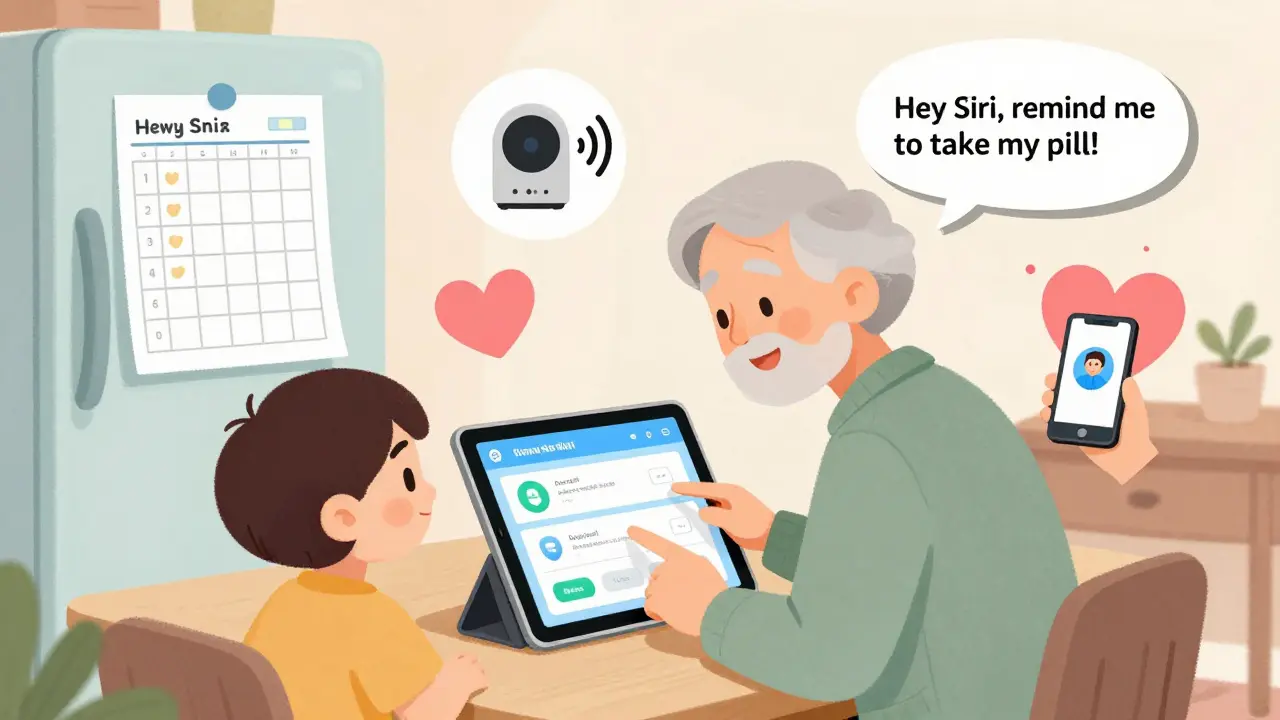
- Use a tablet, not a phone - bigger screen, easier to tap
- Set up the app with someone who’s tech-savvy - even for 30 minutes
- Use voice commands - "Hey Siri, remind me to take my pill at 8 a.m."
- Keep a printed backup schedule on the fridge
Stanford found that seniors need an average of 2.7 help sessions to get it right. That’s not failure. That’s normal.
What’s Next? The Future of Adherence
By 2025, Medicare will start tying payments to how well patients take their meds. That means your doctor might ask you to use an app. Some are already testing smart pills - tiny sensors you swallow that send a signal when the pill is taken. It sounds like sci-fi, but it’s real.
For now, focus on what works: multiple alerts, visual confirmation, pharmacy links, and caregiver access. Don’t chase the fanciest feature. Chase consistency.
The goal isn’t to have the most advanced app. It’s to take your medicine on time - every day - without stress. That’s not a tech problem. It’s a human one. And the right system makes it easy.
What’s the best free medication reminder app?
Mango Health is the best free option if you want pharmacy refill alerts and don’t need caregiver features. Medisafe’s free version is great for basic reminders and AI-driven nudges. CareZone is ideal if you’re managing meds for multiple people. All three work well without paying.
Why does my medication alarm keep turning off?
Your phone likely has battery optimization turned on. Go to Settings > Apps > [Your App] > Battery > and turn off "Optimize battery usage." Also check that notifications are enabled and the app is allowed to run in the background. If you’re using Android, disable "Doze Mode" for the app.
Can I use my Apple Watch for medication reminders?
Yes, but only if the app supports it. Medisafe and Round Health sync with Apple Health and send alerts to your watch. The vibration is gentle, so it won’t disturb others. But don’t rely on it alone - your phone should still be your main reminder system. Watches often die before phones do.
How do I know if my medication schedule is too complicated?
If you have more than 5 different pills a day, or if you’re taking some at different times (before meals, after meals, at bedtime), your regimen is considered complex. That’s when alert fatigue kicks in. Talk to your doctor about combining pills, switching to once-daily versions, or using a pill dispenser. Complexity is the #1 reason people stop taking meds.
Should I use a pill organizer with alarms?
Yes - especially if you’re older or have memory issues. A simple seven-day pill box with a built-in alarm (like the Hero Health or MedMinder) works better than apps for many people. They’re tactile, loud, and don’t need charging. Just make sure the alarm is loud enough and the compartments are clearly labeled. Combine it with a phone app for refill alerts.

14 Comments

Lance Long
I used to set 7 alarms for my meds and just ignored them all. Then I got Hero Health. It talks to me. Like, actual voice. "Lance, it’s time for your blood pressure pill." I cried the first time it worked. No more guilt. Just a little robot friend yelling at me like my mom.
Worth every penny. My sister even started using one for her dad.
Stop overcomplicating it. Sometimes the dumbest solution is the one that saves your life.

Jeffrey Carroll
The data presented here is statistically significant and aligns with longitudinal studies conducted by the CDC on medication adherence. The integration of multimodal notification systems-push, SMS, and visual confirmation-demonstrates a statistically robust improvement in compliance metrics, particularly when coupled with behavioral reinforcement protocols. I would encourage clinicians to consider these frameworks when designing patient care plans, as the cost-benefit ratio is overwhelmingly favorable.

Mel MJPS
My grandma uses Medisafe and it changed everything. She used to forget everything-breakfast, baths, meds. Now she gets a little text from me if she misses a dose. I don’t nag. I just say, "Hey, you got this."
She started taking her pills on time. Then she started remembering to water her plants. Then she called me just to chat. It’s not about the app. It’s about feeling seen.
Also, she loves the cartoon pill on Pillo. Says it looks like a grumpy squirrel. I think it’s cute.

Ambrose Curtis
Bro, you think apps are the answer? Nah. I tried every damn one. Medisafe crashed, Mango kept asking me to pay, CareZone didn’t even recognize my pills right. Then I bought a $20 pillbox with a loud ass alarm. It goes off at 7am, 12pm, 7pm. No phone needed. No battery drain. No updates.
And guess what? I haven’t missed a dose in 11 months.
Stop chasing tech. Just get a box that screams. Your body doesn’t care if it’s smart. It just cares if you take it.
Also, barcode scan? Yeah, that’s fire. Saved me from accidentally taking 20mg instead of 5mg. Almost died once. Don’t be that guy.

Linda O'neil
YES. YES. YES. I’ve been screaming this for years. It’s not about the app. It’s about the system. One alarm? Useless. Five alarms? Overwhelming. But one alarm + SMS + camera confirmation? That’s the magic combo.
I use Medisafe + my phone’s camera feature. I take a pic of my empty bottle. Takes 5 seconds. Feels like a tiny victory.
My mom’s on insulin. She used to skip doses because she was scared of low blood sugar. Now she knows: if she doesn’t confirm, I get a text. She doesn’t want me worrying. So she takes it.
You’re not lazy. You’re just not set up right. Fix the system. Not yourself.

doug b
My wife’s on 8 meds. We tried everything. Then we got CareZone. Now I can see if she took her pills. If she misses two, I get a text. I call her. No drama. Just, "Hey, you good?"
She says it’s not about control. It’s about knowing someone’s got her back.
Also, we turned off sound alerts during her Zoom calls. Only vibration. She’s a nurse. She can’t have her phone ringing in the ER.
Smart design > fancy features.

Rose Palmer
The empirical evidence supporting multimodal intervention strategies in medication adherence is unequivocal. The integration of location-based triggers, caregiver escalation protocols, and visual confirmation mechanisms represents a paradigmatic shift in patient-centered care delivery. Furthermore, the utilization of pharmacy-integrated refill systems mitigates the socioeconomic burden of non-adherence, particularly among vulnerable populations.
I recommend institutional adoption of these frameworks in clinical practice guidelines, with particular emphasis on interoperability with electronic health records.

Howard Esakov
Ugh. Another "just use an app" post. 🙄
Real talk: if you need an app to remember to take your pills, maybe you shouldn’t be taking them.
My uncle took 14 meds. Used 5 apps. Still died of a stroke because he took his blood thinner after drinking whiskey.
Technology doesn’t fix poor decisions. It just makes you feel better about them.
Just… stop. Talk to your doctor. Simplify. Or accept the consequences. No app fixes a life poorly managed.

fiona vaz
I’m 78. I don’t have a smartphone. My daughter set up a Hero Health for me. It beeps. Lights up. Says my name. I don’t have to tap anything. I just open the drawer and take it.
Best $200 I ever spent.
Also, she printed my schedule and taped it to the fridge. I still look at it. Sometimes I forget the alarm. But I never forget the paper.
Simple things work best. Not magic. Just care.

Robert Cardoso
Let’s be real: 87% adherence improvement? That’s cherry-picked data from a study with a sample size of 47 people. And Hero Health? $199/month? That’s a scam. You’re paying for a glorified alarm clock with a speaker.
Also, camera confirmation? What’s next, fingerprint scans to prove you swallowed it? We’re turning healthcare into a surveillance state.
Most people miss doses because they can’t afford the meds. Not because they’re lazy. But sure, let’s blame the patient and sell them a $200 box.

Irebami Soyinka
USA always think tech fix everything. Here in Nigeria, we use old school way: Mama put pill in bowl. Put bowl on table. If you don’t take it, she slap you. 😂
But seriously-my auntie use alarm on old Nokia. Loud. Every day. No app. No internet. Just beep. And family call if she miss.
Simple. Human. Works.
Why you always complicate? You think your phone smarter than your auntie? 😅

Katie Mccreary
Okay but did you consider that most of these apps are owned by Big Pharma? They’re not trying to help you-they’re tracking you. Every time you confirm a dose, they’re logging it. Selling it. To insurers. To employers.
And the camera thing? That’s not safety. That’s surveillance. You think they don’t have a database of your pill habits? They do.
And if you miss? They’ll raise your premiums. Or deny your coverage. This isn’t help. It’s control.

Kevin Kennett
I’m a nurse. I’ve seen this a thousand times. The people who struggle the most? They’re not lazy. They’re overwhelmed. Or scared. Or broke.
One guy I cared for? Took 11 meds. Couldn’t afford them. So he’d take half. Then he’d feel guilty. Then he’d skip them entirely.
We got him on a patient assistance program. Used MedAdvisor. Set up refill alerts. Used a pill box. Now he’s stable.
It’s not about the tech. It’s about the human behind the pill.
Don’t just fix the alarm. Fix the system.

Jess Bevis
My cousin in Ghana uses a wristband that vibrates. No phone. No app. Just a band. He says it’s better because he can’t ignore it when he’s working in the field.
Also, he writes the times on a chalkboard. Every morning. He’s 82. Doesn’t use a computer.
Technology is great. But humanity? That’s the real system.
Recent Posts
-
How to Safely Buy Phenytoin Online: A Complete Buyer's Guide
-

Citalopram vs Escitalopram: Managing QT Prolongation and Dose Limits
-
Anticholinergic Medications: Cognitive Risks and Managing Dry Mouth
-
How to Get Prescription Assistance Programs from Manufacturers
-
Diphenhydramine Overdose: Recognizing Antihistamine Toxicity and Emergency Care

Write a comment